Overview
Blink Alarm reimagines how people wake up, turning a traditionally stressful experience into something engaging, motivating, and effective. Built entirely in-house by Blink22, the app blends science-backed wake-up mechanics with playful, gamified missions to help heavy sleepers, busy minds, and morning strugglers beat grogginess and stay consistent with their morning routines.
What started as a mission-based alarm has grown into a full morning operating system. Alongside the original wake-up challenges, Blink Alarm now includes an AI-powered alarm setup, a medicine tracker, an integrated task manager, prayer-aware scheduling, calming sleep sounds, and Friends Bell, a social feature that lets people share alarms and check in on each other.
Technologies Used
 Technologies Used
- Jetpack
- Firebase
- Android (Kotlin)
- iOS (Swift)
Category
- Mindfulness Applications
- Health & Wellness Technology
- Gamification Solutions
- Sleep Technology
Platforms
- Android
- iOS
App Links
Initial Requirements
As an internal innovation project, Blink Alarm began with a simple insight: most alarm apps only make noise, they don't actually wake people up. Heavy sleepers and morning strugglers needed something smarter, more interactive, and built with real empathy for human behavior.
Because it was an in-house initiative, Blink22 had full creative freedom to experiment, prototype, and refine.
The result is a dynamic Android and iOS app designed to help professionals, students, and shift workers rewire their mornings through personalized challenges, habit-building mechanics, and intelligent alarm design, one that kept expanding as it became clear people wanted more than a smarter alarm. They wanted a smarter start to the day.
Challenge
Building Blink Alarm meant tackling the toughest problem in sleep technology: making sure users actually wake up. The challenge spanned both human psychology and deep Android engineering.
Designing for engagement, not just alerts.
Traditional alarms are easy to dismiss. The real challenge was building wake-up missions stimulating enough to activate the mind without feeling frustrating or gimmicky and reliable enough that motion-based challenges could tell a deliberate shake from incidental phone movement.
Adapting difficulty to human behavior.
Sleep patterns and wake-up resistance vary a lot from person to person, so a single difficulty setting was never going to work for everyone.
Building a fault-proof alarm system.
Android imposes strict background and battery optimization limits on exact alarms. On top of that, Android's default behavior wipes scheduled alarms after a reboot, whether from a restart, a battery drain shutdown, or a lock cycle, so alarms had to survive that without user intervention.
Guaranteeing offline reliability.
The alarm needed to ring correctly with no internet connection, in low-power mode, on the lock screen, or with Do Not Disturb enabled, no exceptions.
Seamless localization.
Supporting English and Arabic with proper RTL design, while preparing for over ten additional languages, meant designing every layout for cultural adaptability from day one, including alarms that shift daily based on prayer times and location.
Confirming real wake-ups.
Knowing someone dismissed an alarm isn't the same as knowing they're actually awake, that gap needed its own solution.
Approach
Our approach balanced psychology-driven design with high-reliability engineering, making sure the app worked perfectly while feeling fun, friendly, and human, a principle that shaped every feature added after launch.
Modular, scalable architecture. A clean, multi-layer architecture separating data, domain, UI, and utilities made it easy to extend missions and add new capabilities without destabilizing the core alarm engine.
Jetpack Compose for modern UI. The entire interface was built using Jetpack Compose and Material Design 3, for a polished, adaptive experience.
Behavioral design & gamification. Game mechanics based on cognitive activation principles require users to solve puzzles, move physically, or engage mentally before an alarm can be dismissed.
AI-powered setup. We integrated the OpenAI API so users can describe an alarm in plain language, typed or spoken, and have the app configure the full set of settings automatically.
Data & analytics layer. Firebase handles analytics, crash reporting, and behavior tracking, feeding continuous iteration based on how people actually use missions and sleep patterns.
Agile, quality-focused delivery. Short sprints, code reviews, automated linting (Ktlint), and rapid testing cycles kept speed and stability in balance.
Solution
Blink22 delivered a complete wake-up ecosystem, combining fun challenges, personalized routines, and rock-solid reliability, all wrapped in a clean, bilingual interface.
Wake-Up Missions
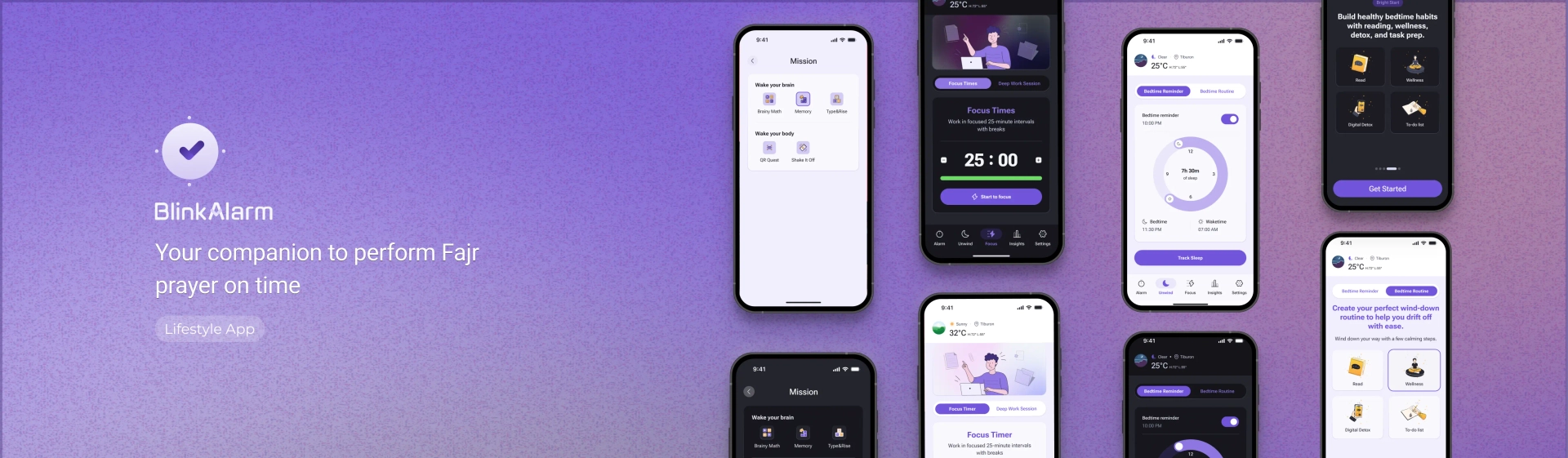
That includes Brainy Math, Memeory Games, Type and Rise, Shake to Wake, and Regular Alarms for anyone who just wants a plain wake-up. Users also get Total Mission Control, which allows them to preview any mission before enabling it, repeat missions multiple times for extra effect, and stack multiple missions on one alarm. Scale difficulty across Sleepy Start, Morning Boost, or Beast Mode.
AI Alarm & Quick Alarm
AI Alarm: Type or speak what you want, and the app configures the entire alarm using the OpenAI API, time, mission, difficulty, and sound.
Quick Alarm: A faster path to creating an alarm with far less manual setup.
Prayer-Aware Scheduling
For users who follow daily prayer times, Blink Alarm automatically sets alarms relative to Fajr, Dhuhr, Asr, Maghrib, and Isha, adjusting daily by location, with customizable offsets before or after each prayer.
Wake Up Check & Soft Wake
Wake Up Check: After dismissal, a follow-up notification confirms the user is actually awake. No confirmation, and the alarm rings again.
Soft Wake: A gradual volume increase for a gentler wake-up, paired with adjustable snooze intervals (1–30 minutes) and configurable snooze limits.
Medicine Tracker & Health Alarm
A reliable medication tracker: custom pill reminders, organized with distinct alarm icons (Sun, Moon, Heart, Star, Medicine), so a dose never gets buried in a generic notification feed.
Integrated Task Manager
A full to-do list app built into the morning dashboard. Users manage daily tasks and check items off the moment they turn off their alarm.
Friends Bell
A social accountability layer built inside Blink Alarm, essentially its own mini-app.
Friend Sharing & Groups: Share custom alarms, morning schedules, and daily reminders with family, a partner, or a friend circle.
Care Check-Ins: Create folders for the most important people in your life and get automatic reminders to check up on them.
Built on the same reboot-detection engineering used across Blink Alarm's core system, so a shared alarm or check-in reminder survives a phone restart just as reliably as a personal one.
Calming Sleep Sounds & Offline Reliability
Premium White Noise: A curated set of ambient sleep sounds and soundscapes for easing into deep rest.
100% Offline Reliability: Precise scheduling that works with no internet connection, in low-power mode, on the lock screen, or with Do Not Disturb enabled.
Outcome
Blink Alarm is now a fully developed, production-ready wake-up platform built to redefine how people start their day. Through extensive internal testing and iteration, it has proven its ability to deliver a reliable, engaging, deeply personalized wake-up experience across a much wider feature set than a typical alarm app.
Key Outcomes:
A stable and scalable Android and iOS application engineered for global release
Verified reliability across diverse Android devices and OS versions through QA and internal testing
Bilingual (English and Arabic) support with RTL-ready UI
A product that expanded from a single-purpose alarm into a connected morning ecosystem, spanning wake-up missions, AI setup, health tracking, task management, and social accountability, without losing reliability at the core